
Integration and Sync Observability
Lumos · 2026
Timeframe: Integration page 8 weeks, Sync Observability ~3 months
Lumos is an identity and access management platform that connects to the systems a company already runs: Okta, Workday, AWS and the rest. We pull in upstream information, then govern all access through our system. Every one of our products depends on one thing: the integration and the sync system.
TL;DR
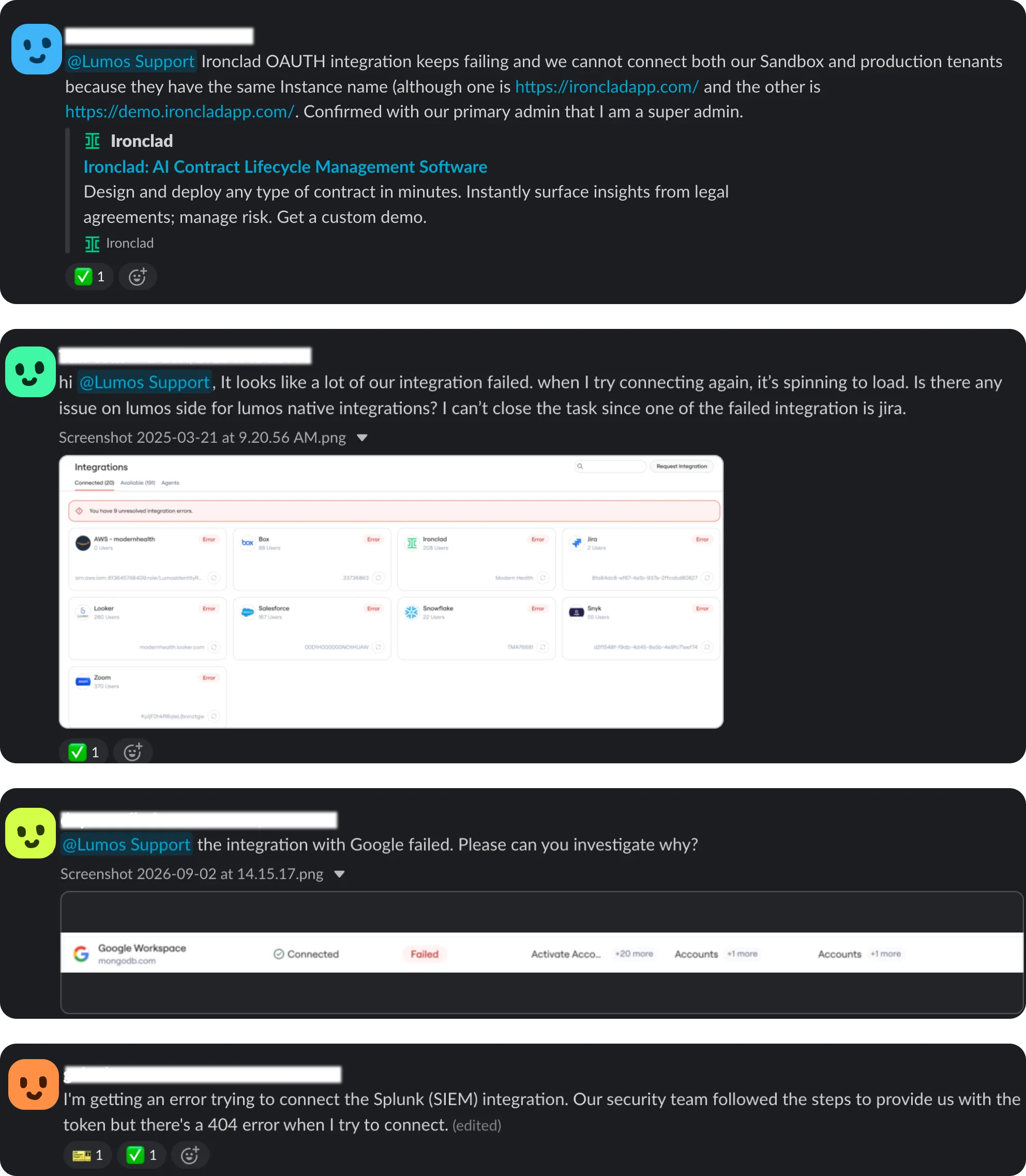
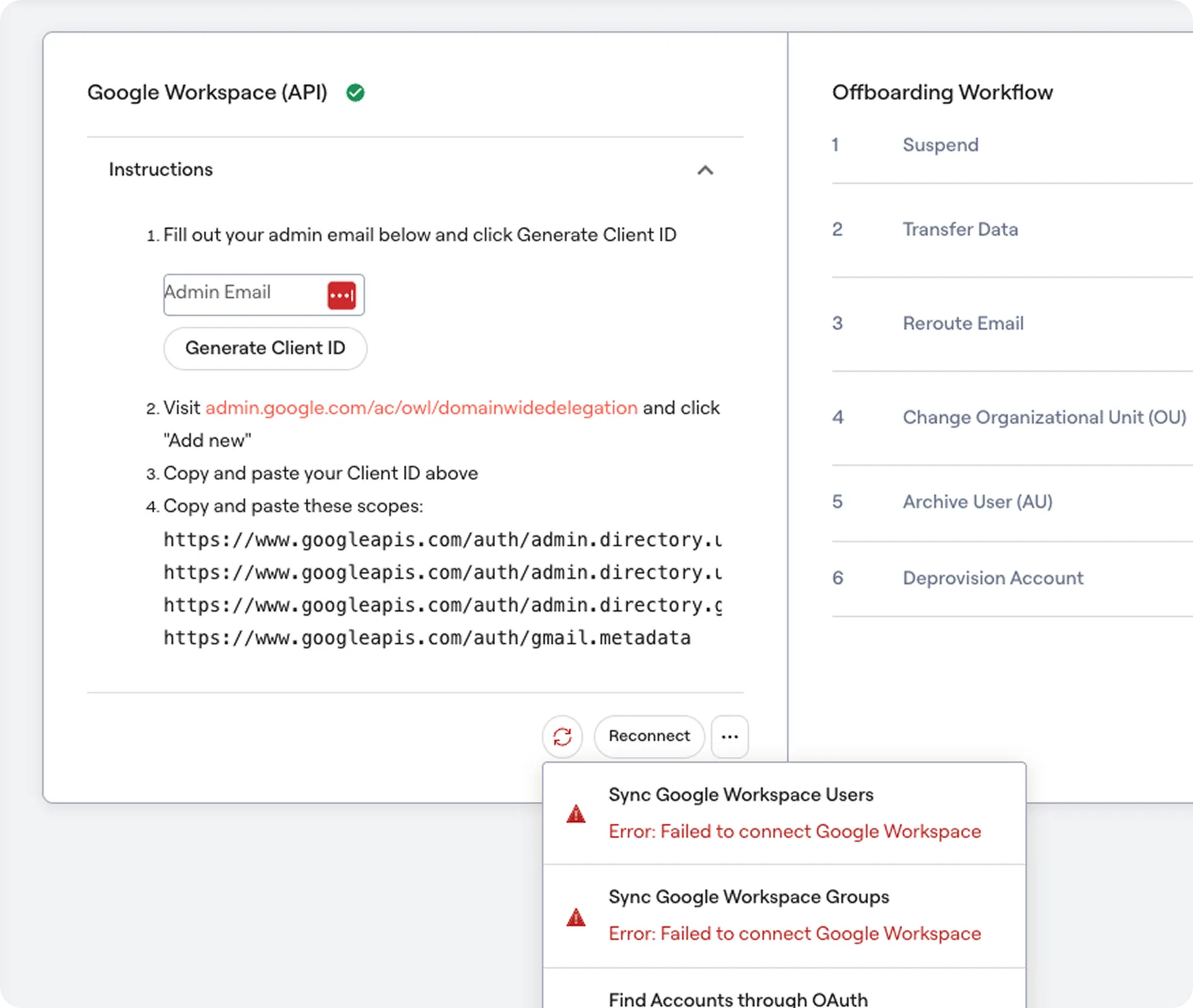
Connecting to integrations is one of the first experiences a POC customer goes through. The status quo was a form with a link to documentation - the rest is on your own.
This process is extremely error prone. Pick the wrong auth method, enter the tenant name in the wrong format, or generate the token on the wrong page, and the result is waiting hours while the first sync runs, only to find that half of it failed.
We reimagined this entire experience. We made it easier to find integrations and understand their capabilities; made it possible to test the connection before the sync actually runs; and added an agent that helps you along the way, rather than leaving you to read documentation by yourself. On top of that, we revamped how we show sync status, so both customers and our engineers can debug more effectively when something goes wrong.
Challenges & Opportunities
For the past year our focus was closing the connector coverage gap - build as many integrations as possible, as fast as possible. It worked, and it also meant nobody had the time to design the actual experience of connecting one. But this is the front door of the product: a customer connects three to ten integrations during a POC before they get to evaluate anything else. There are really two problems hiding in there:
- "Help me connect this" - Find the integration, understand what it can actually do, get the credential right, and know it works
- "What's happening with my sync?" - Know when something broke, what broke, and what to do about it, without filing a ticket
Everything downstream depends on the quality of this data - Identity Intelligence, the agent's recommendations, the Access Graph. If an integration syncs accounts fine but quietly fails on entitlements, it doesn't just look a little broken; it makes our whole intelligence layer wrong in a way nobody can see.
Key bets
01User prefers a working surface over a storefront
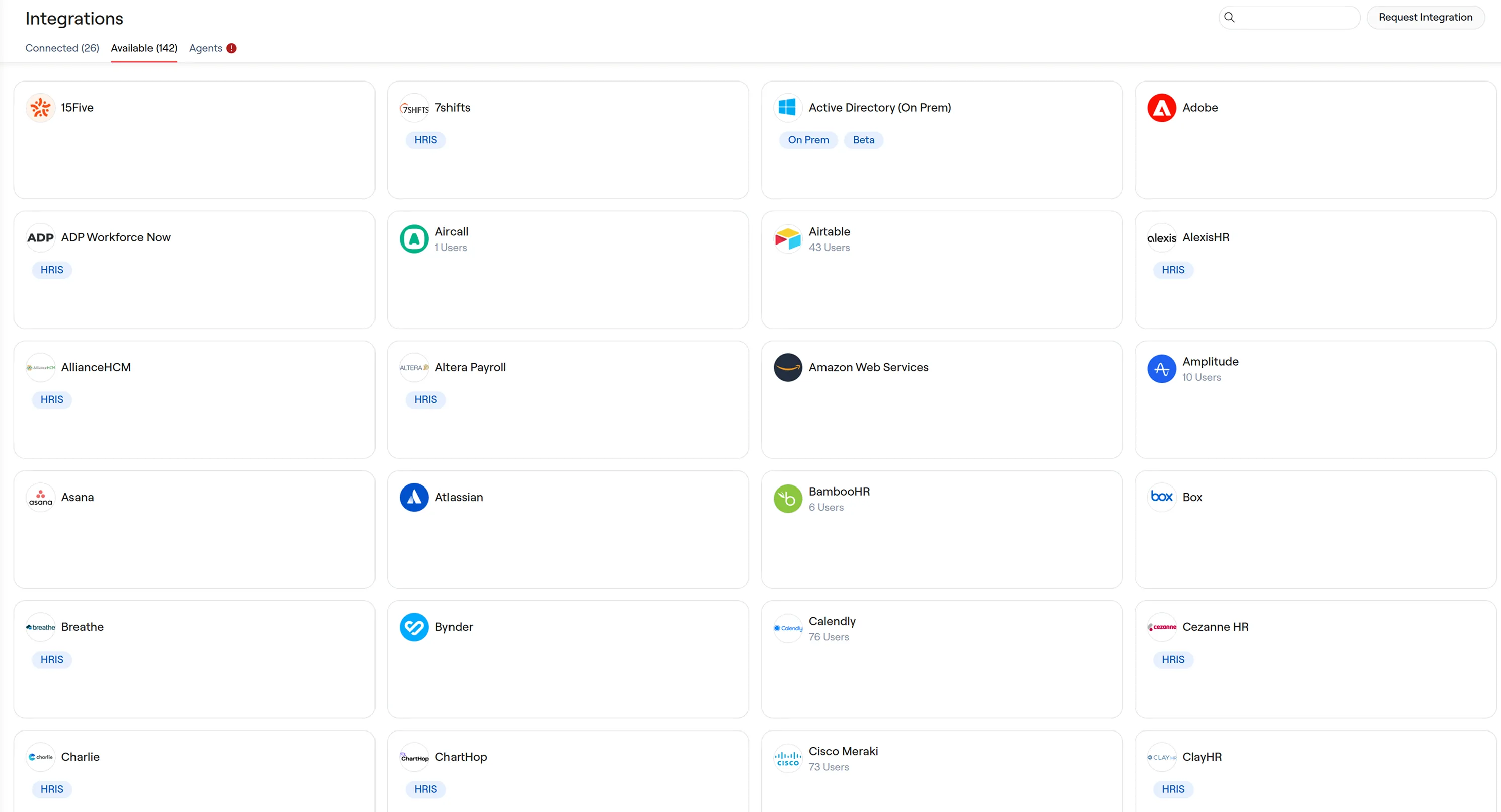
We replaced the card grid with a table, split across three tabs - Connected, Discover, On-Prem Agents - with sync status, error counts, capabilities and entitlement types all as columns.
Almost every integration marketplace uses the card layout, but two things pointed it in the other direction for us:
- A card grid is a new pattern we'd have to maintain, whereas the table gets search, filtering, sorting and export for free
- When we put both in front of customers, the table won outright. The admins we talked to weren't browsing, they were looking for a specific integration. POC customers were more impressed when they saw a denser collection of integrations available.
02Prove it works before you commit, not after
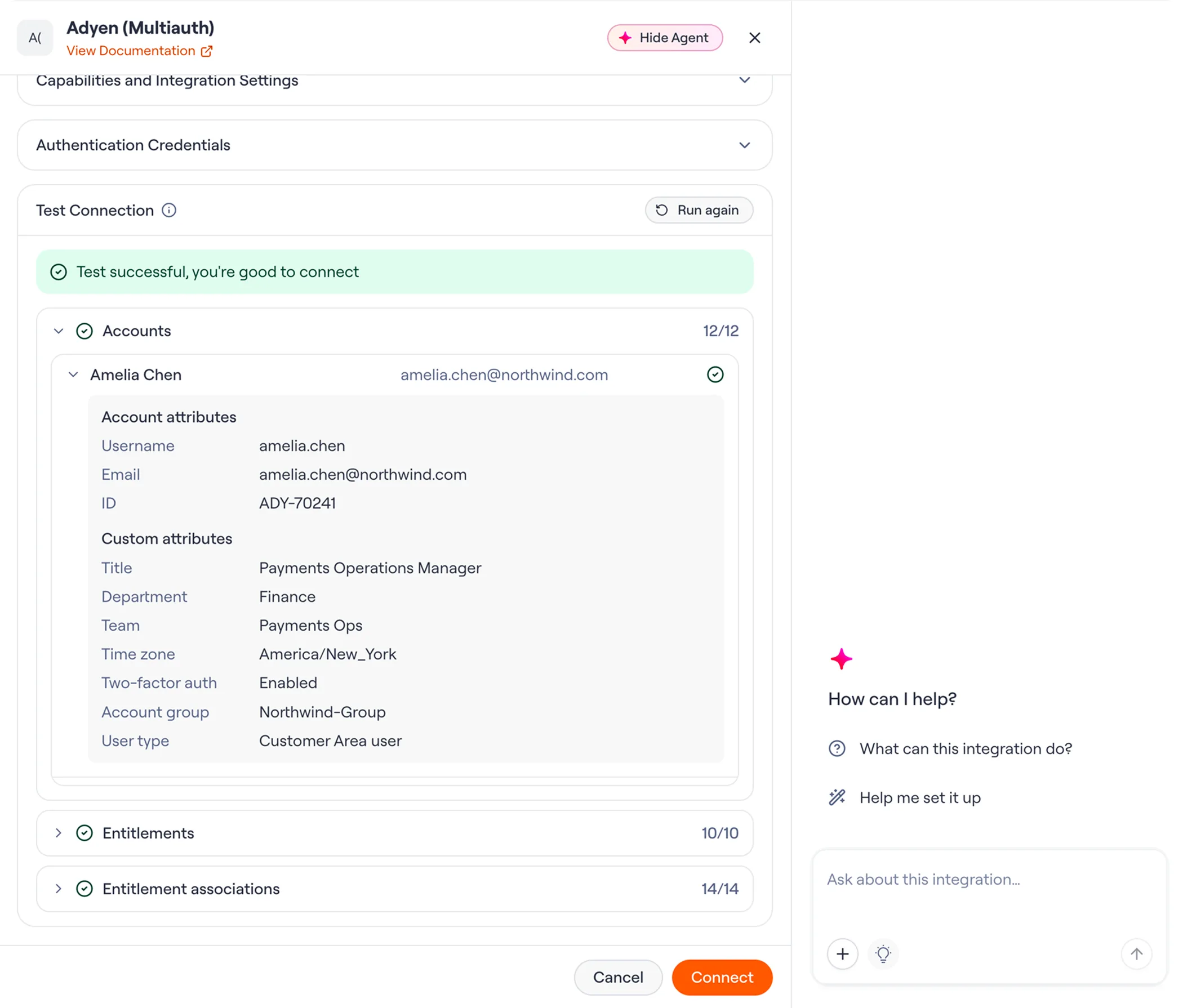
We moved validation ahead of the connect action. A test stage runs a real probe against the staged credentials before anything is saved - accounts first, then entitlements, then the associations between them - and shows you the sample records it pulled back, or the errors it ran into.
The tricky part was that the status quo wasn't "no validation", which is exactly what made it dangerous. The existing check only proved the credential parsed. Whether Lumos could actually read the data it needed didn't surface until the first full sync, often hours later and usually in the middle of a POC.
03No one wants to read documentations (except for agents!)
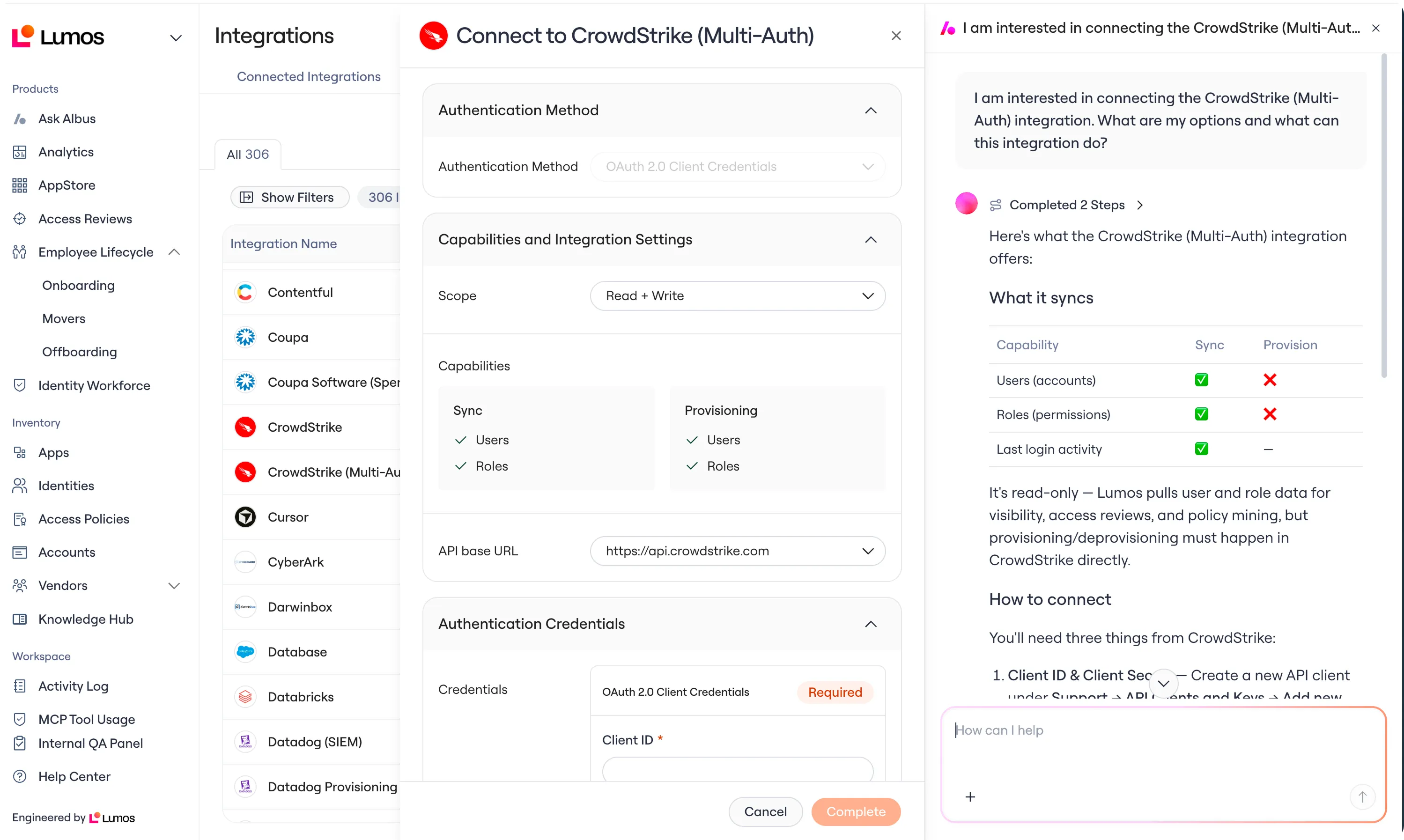
Our integration agent sits right in the connection surface as a split pane next to the config form. It opens by default so help is there at the moment someone is stuck, instead of waiting to be discovered.
Test results get handed to it automatically and the agent can help diagnose it without being asked: which permission is missing, and where to go add it. The admin never has to describe their own error to the agent.
We were deliberate about where to draw the line though. The first version we went with actually included self-prompting, so when you are simply viewing an integration - you are immediately greeted with a wall of text. This created a jarring user experience, so we settled on the principle that an agent should never act or advise on something without an explicit intent expressed by the user.
04Honest status over reassuring status
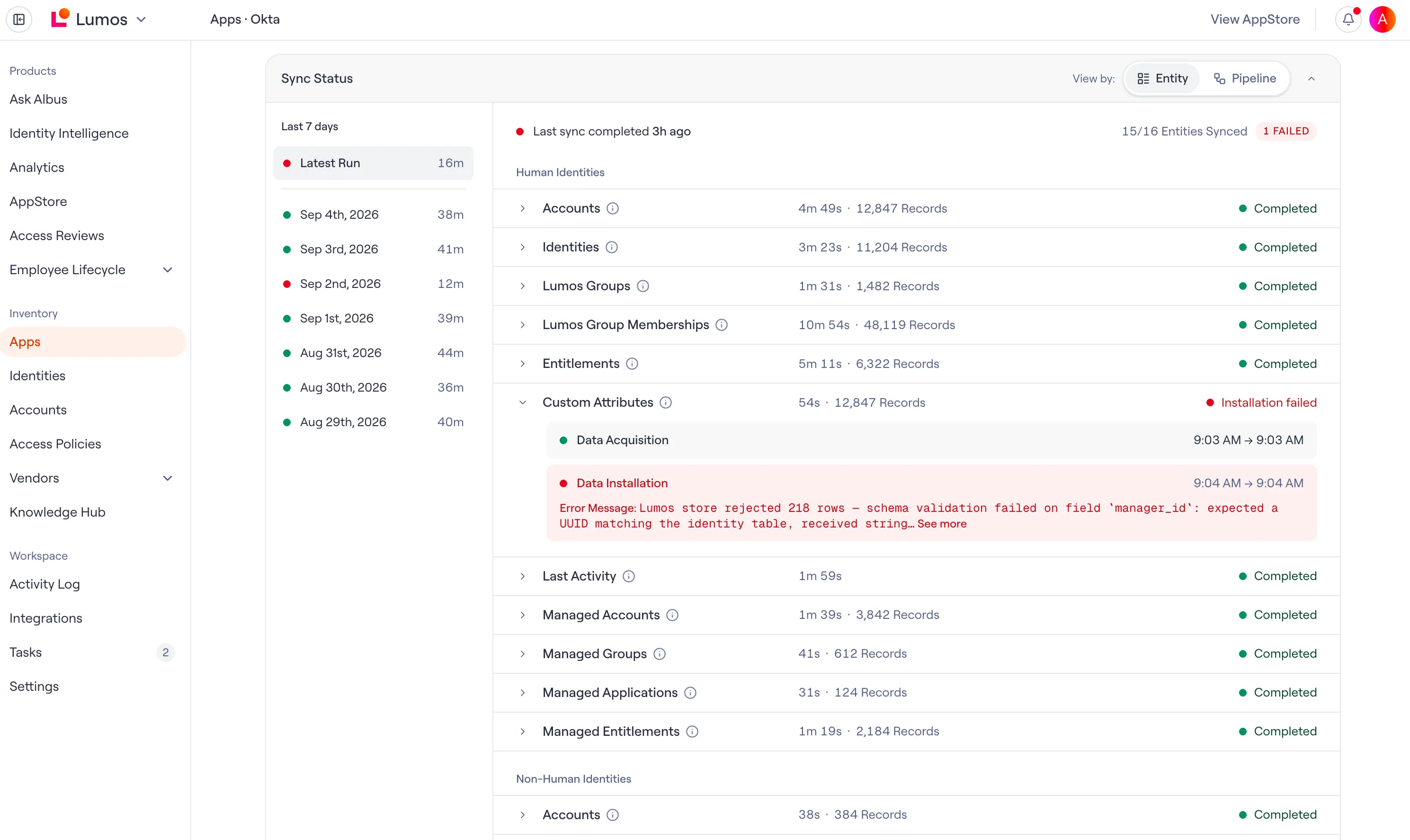
We want to provide more transparency around how our sync works, so users can trust the system. We decided to display each entity along with their own progress, timestamp, and record breakdown. This mimics how our sync runs in real time.
Sync stops silently degrading and customers can now find out about them in the UI rather than downstream (wrong data in access reviews, stale identities, broken LCM etc.).
Impact
The integrations page revamp shipped to all customers after we validated it with five design partners, and sync visibility reached GA - you can now see the last seven days of syncs for each integration, including the runs in progress, the Entity and Pipeline views, and per-stage timing and record counts.
Quantitative
| Signal | Baseline | Target | Reading |
|---|---|---|---|
| Integration / sync support-ticket volume | ~50% of all tickets | < 50% | ~35% of tagged tickets, Feb to May |
| Failures caught before the customer | - | 80% found internally first | > 83%, measured in May |
| New connections completed self-serve | - | > 70% | In progress |
Qualitative
- It became an internal debugging tool, not just a customer surface. Sync Visibility is how we locate and fix failing steps before the impact reaches customers.
- Customers who gave feedback saw it land. Enterprise customers recognised their earlier feedback in the redesign and became more motivated partners, and in general more receptive to upsells.
- Sync visibility and performance improvements were named internally among the year's most impactful shipped work, as longstanding customer requests finally closed.